There is a lot to unpack from today’s Android Show: I/O Edition, including Google’s new AI and laptop.
Android just finished the 2026 Android Show: I/O Edition, a showcase featuring only Android content ahead of Google I/O 2026, just a week from now. There was a lot of content shown, but we have the highlights front and centre, with some of the extra details later on for you to snack on after the big portions.
Gemini Intelligence
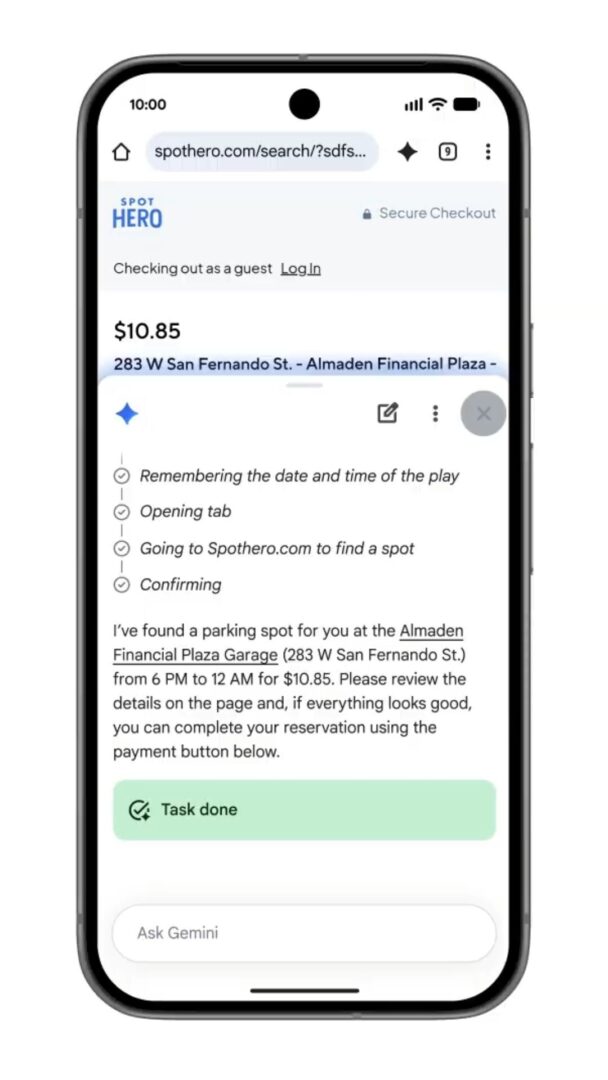
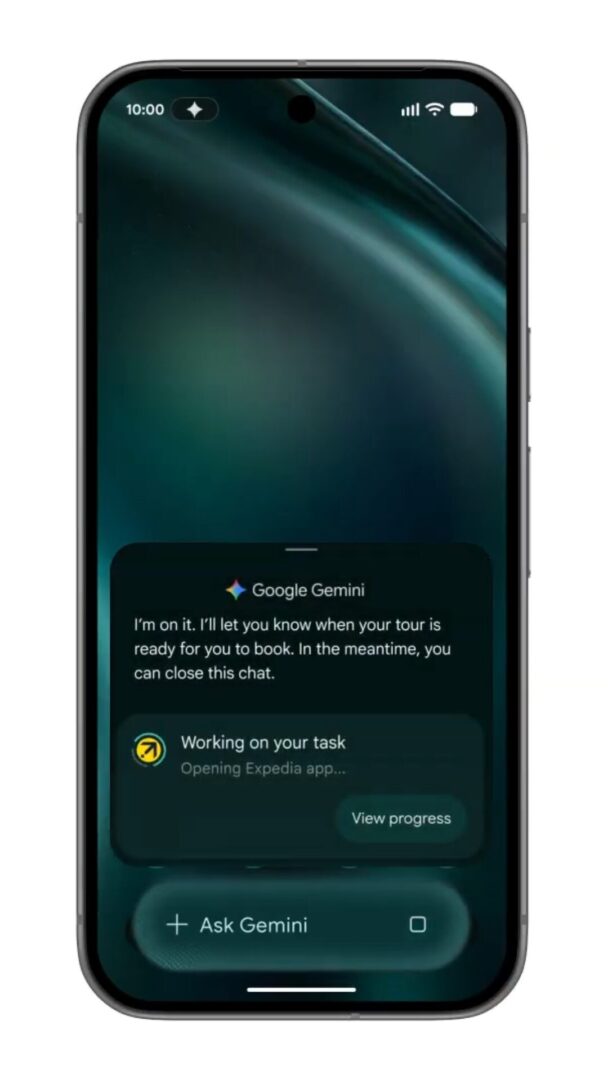
The core of this show was the newly introduced Gemini Intelligence, a more advanced generative AI than the current Gemini we know. Gemini Intelligence features will launch on Samsung Galaxy and Google Pixel phones this summer and will also come to some other hardware shown off during the show, which we’ll cover later.
Despite listing only a few new features that basic Gemini doesn’t have, each one can have some depth depending on what a user wants from Gemini Intelligence for any given task.
- Automation across apps, most often by taking contextual info from messages or emails
- Finding RSVPs for events and making them for you
- Finding shopping lists and filling out a delivery order with those items
- Making a full vacation plan based on looking at a photo from a travel brochure you take
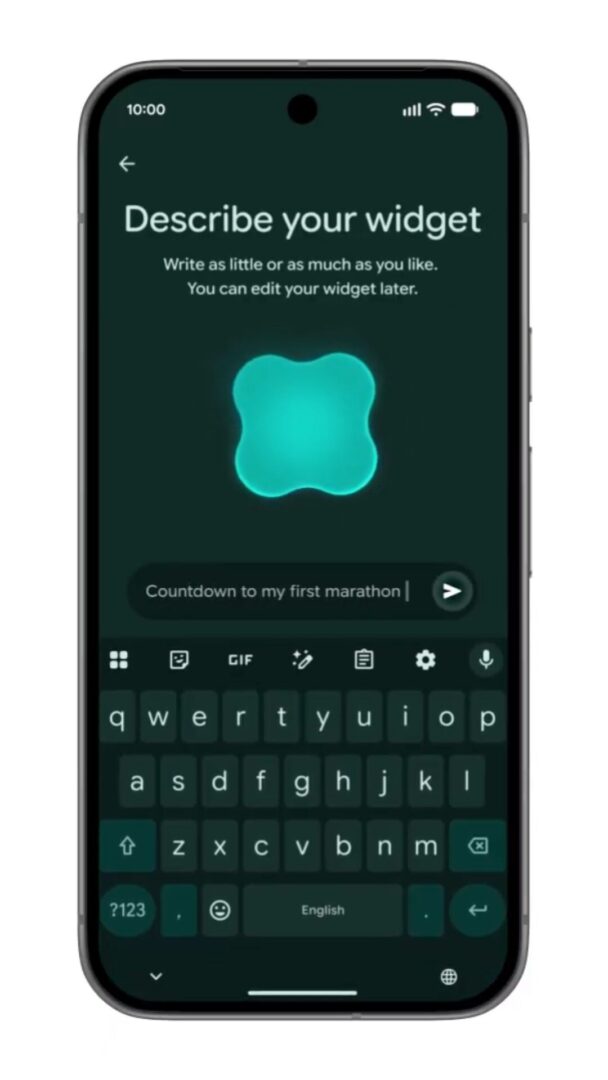
- Create My Widget, which allows Gemini Intelligence to make a custom widget with any information you want displayed on your home screen
- Regularly finding new meal recipes of your choice
- Displaying specific info about the weather
- Rambler, advanced voice recognition, which understands the context of what you’re talking about to create better structured text from your speech. Rambler can also tell multiple languages apart for bilingual speakers
- Autofill will be able to access any kind of relevant information for a form as long as that info exists somewhere accessible on your device
A New Laptop – The Googlebook
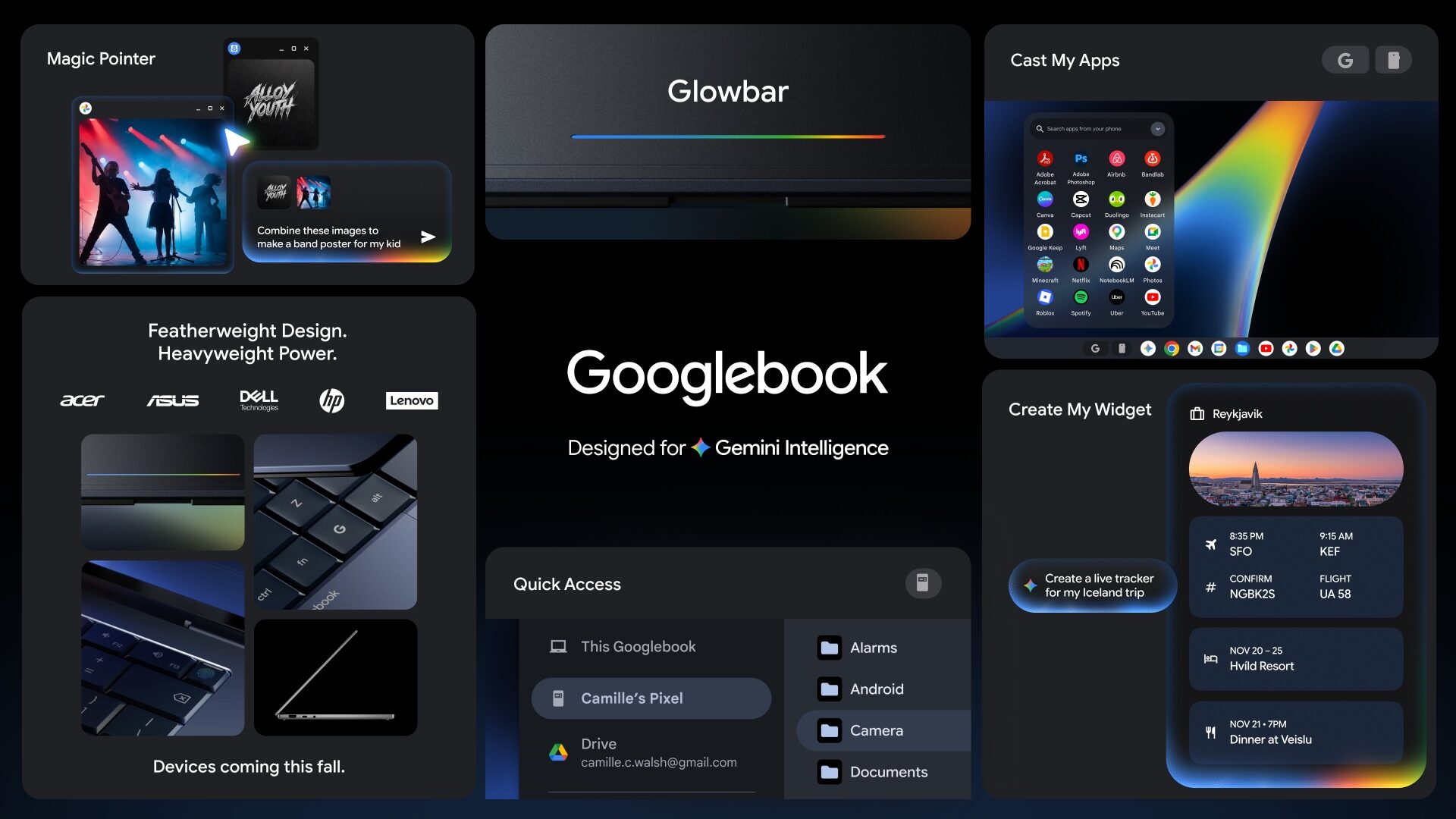
Coming this fall is the Googlebook, a new laptop separate from the Chromebook and designed specifically for Gemini Intelligence. At any point while using a Googlebook, a user can wiggle the cursor to enable the “Magic Pointer”, which then brings Gemini to life to easily perform tasks just by understanding the context of the cursor pointing at things.
Some examples of Gemini’s functionality included pointing to a date in an email to set a meeting or selecting two images and having Gemini blend them together, with no other software or downloads required. Just like on phones, Gemini can also create custom widgets for your dashboard tailored to your needs, like one that features all the info you need for your next travel destination, like flight and hotel info or reservations for nearby restaurants.
The Googlebook also works seamlessly with Android phones, allowing you to access your Android device just by using the phone app, perfectly emulating your phone screen so you can interact with what you need. There is also the Quick Access function, which lets you access your phone’s files as if they were directly inserted into your Google Drive.
Android Auto Gets A Refresh
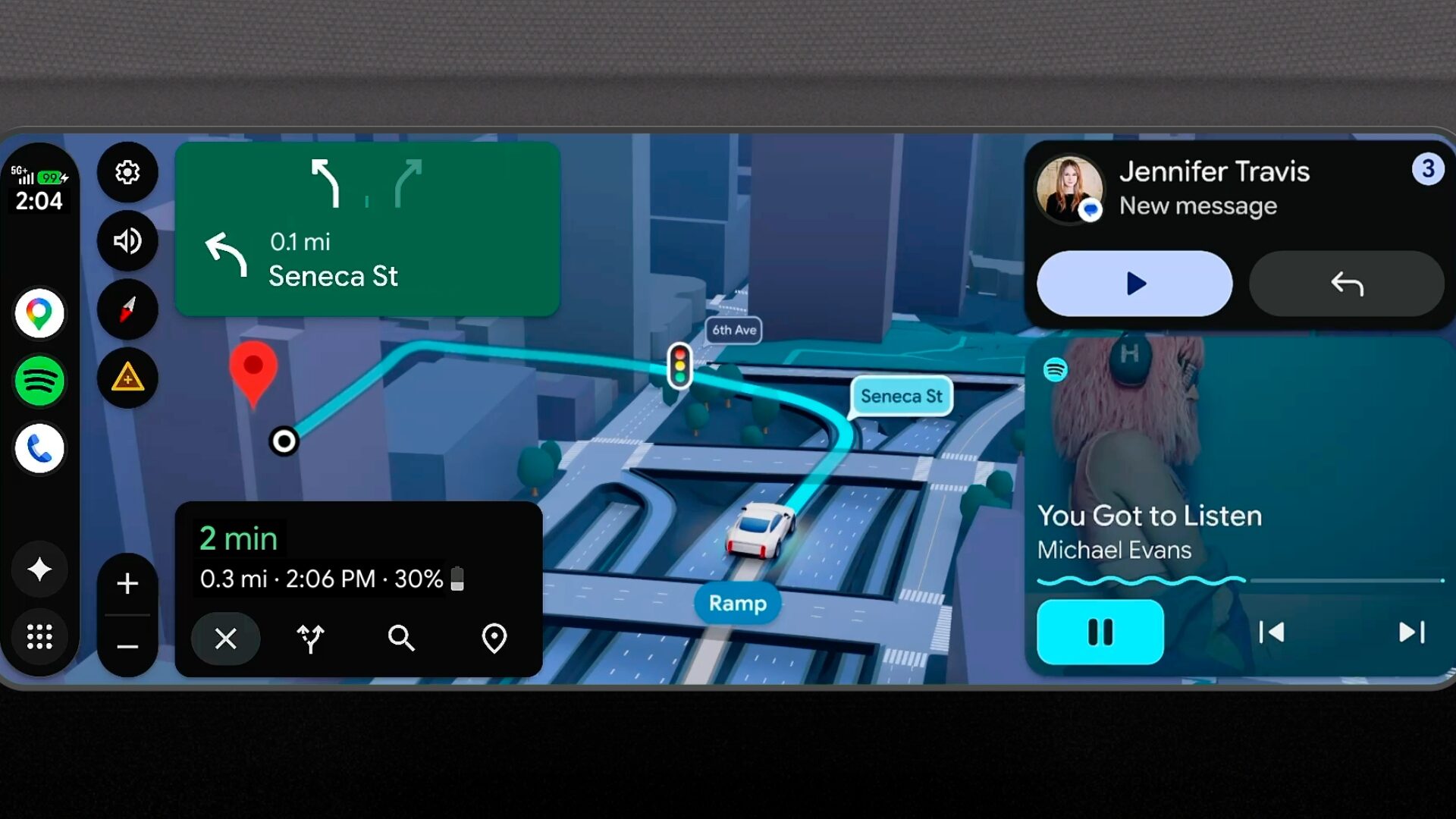
With new updates to Android Auto coming throughout the year, an Android phone connected to a supported cars can do more. Magic Cue can be used to get things done on your phone by asking Gemini to do them, like replying to a text with web info or ordering food. Immersive Navigation is a 3D update to Google Maps that can also highlight critical details like signage and traffic lights, as well as provide Live Lane Guidance for cars with cameras, offering active advice about merging.
Android is also capitalizing on the greater luxury of HD screens, premium stereo, and comfy seating in modern cars by adding full HD 60 fps video support for screens, spatial sound with Dolby Atmos, and UI improvements for media apps to make in-car use easier. When transitioning from park to drive, videos don’t stop playing and instead seamlessly change to audio only.
Only a few car brands will support these audio/video features, but Android plans to introduce more as it rolls out its Auto Update.
- BMW – 60fps HD video, Dolby Atmos
- Ford – 60fps HD video
- Genesis – 60fps HD video, Dolby Atmos
- Hyundai – 60fps HD video
- Kia – 60fps HD video
- Mahindra – 60fps HD video, Dolby Atmos
- Mercedes-Benz – 60fps HD video, Dolby Atmos
- Renault – 60fps HD video, Dolby Atmos
- Škoda – 60fps HD video, Dolby Atmos
- Tata – 60fps HD video, Dolby Atmos
- Volvo – 60fps HD video, Dolby Atmos
Security For Android And Gemini
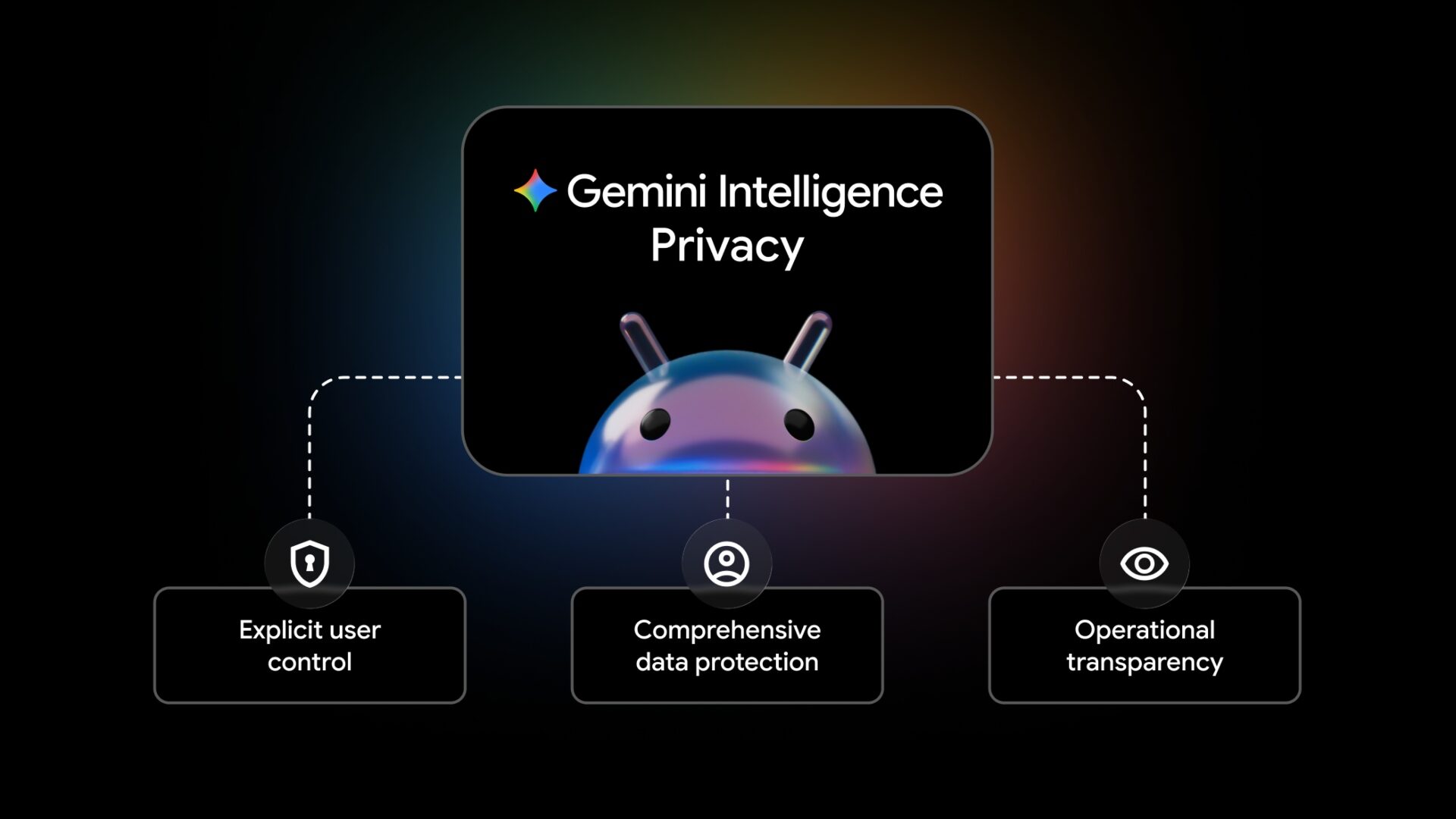
Considering the amount of personal data flowing through Google and Android software and hardware, privacy is massively important, especially now that Gemini Intelligence is being brought into the mix, trying to read context from almost every notification or voice prompt.
To combat this, Android is using three design principles to ensure privacy is maintained with Gemini Intelligence – Explicit User Control, so that users understand what features they are opted into or out of, Comprehensive Date Protection, pretty much using high-end Google security as you would expect, and Operational Transparency, so that you know when an AI assistant is performing work and how it is handling your data.
There are also many security features being introduced to Android starting today.
- Malware evaluation when downloading an app with Safe Browsing enabled on Chrome for Android
- USB Protection on all Pixel devices running Android 16+ and more soon
- Intrusion Logging releasing on devices running the Android 16 December update
- Restricted access to accessibility services for apps not labeled as accessibility tools
- Device-to-device unlocking and Chrome WebGPU support is being disabled
- Scam detection is being integrated into chat notifications
- The Mark as lost feature can be locked with biometric authentication, so a device marked as lost cannot be unmarked or accessed even with a passcode or PIN. Triggering the mark also hides Quick Settings and disables new Wi-Fi and Bluetooth connections
- These features are available as default for current Android 17 devices as well as Android 10 devices in “high demand markets” like Argentina, Chile, Columbia, Mexico, and the United Kingdom
- PIN password guesses have been reduced and wait times have been increased on Android 17
- A new setting to allow a device running Android 12 or higher can share its IMEI via lock screen for easy recovery
- Android 17 location share timing is more precise to eliminate excess tracking
- A new indicator for when your location is being accessed acting also as a shortcut to manage that access
- Apps can now request specific contact info instead of broad contact info
- Android 17 now using AISeal and pKVM to process AI security and privacy
- Android OS verification in Android 17 to detect fake OS
- One-time password messages hidden for three hours to most apps
- A new Disable 2G toggle
- An Android device can work to determine if a bank or financial institution number calling you is part of a banking scam
- Available with Revolut, Itaú, and Nubank in the coming weeks with more banks and financial apps later this year
- Live Threat Detection to warn users when apps begin performing hidden tasks in the background suspiciously, coming later this year
- Android Enterprise support for Advanced Protection is coming later this year
Other Updates Across The Android Range
Available now
- Pause Point, an advanced app timer that gives you more options, like taking a breather or being suggested different apps
- Quick Share becomes compatible with iOS Airdrop, starting with Pixel phones
- Expanding to Samsung, OPPO, OnePlus, Vivo, Xiaomi, and HONOR later this year
- Non-compatible devices can generate QR codes for easy cloud sharing
- Instagram updates for Android users
- Ultra HDR capture and playback
- Built-in video stabilization
- Night sight integrations
- Optimization for Android tablets
- Instagram Edits app updates for Android users
- Smart enhance feature to allow AI to automatically upscale photos and videos
- Sound separation to boost and remove select sounds from audio tracks
- Over 4000 emojis remade with a 3D look
Available Soon Or Later This Year
- Screen Reactions, allowing you to record yourself and your screen at the same time, for Pixel devices this summer
- Adobe Premiere Pro coming to Android devices in the summer
- Samsung Galaxy and Google Pixel to get an overhaul to iOS-to-Android data transfer efficiency later this year
- Advanced Professional Video (APV) available on Samsung Galaxy S26 Ultra and vivo X300 Ultra, coming to Snapdragon 8 Elite-powered devices later this year
Gemini 3.1 will also be coming to Chrome for Android on devices running Android 12 with +4GB of RAM starting in the United States at the end of June. A new assistant menu will debut, where you can ask Gemini questions about a page you’re viewing or have it add info to other apps, like dates to your calendar. This Chrome update will also continue to use Nano Banana to power its generative images
Auto browse is an AI Pro and Ultra subscriber-exclusive feature which is also coming to Chrome for Android in June. A user can use this to ask Gemini to browse and find information for them, or shop for things you need on online stores.
If you would like to take a closer look at the details of any of these reveals, you can read about everything on the Android blog.